Choosing the Best WordPress AI Writing Assistant Plugin: A Complete Guide
The demands on modern content creators, bloggers, and web developers are higher than ever. To maintain a competitive edge, publishing consistent, high-quality content is no longer optional—it is a baseline requirement. However, the traditional writing process, which involves bouncing between external drafting apps, spelling checkers, research tabs, and your content management system, can severely fragment your workflow.
This is where a dedicated WordPress AI writing assistant plugin changes the game. By embedding artificial intelligence directly into your WordPress dashboard, these plugins bridge the gap between ideation and publication. Instead of relying on bulk, generic text generators that produce robotic articles, modern AI assistants work alongside you inside your editor, helping you refine your prose, design clean layouts, and optimize your writing in real time.
What is a WordPress AI Writing Assistant Plugin and How Does It Work?
A WordPress AI writing assistant plugin is a software extension that integrates directly with your website's editor—primarily the Gutenberg block editor, but often extending to other editing environments. Unlike standalone software-as-a-service (SaaS) copywriting tools that require you to copy and paste text back and forth, these plugins live where your content is born.
Seamless Dashboard Integration
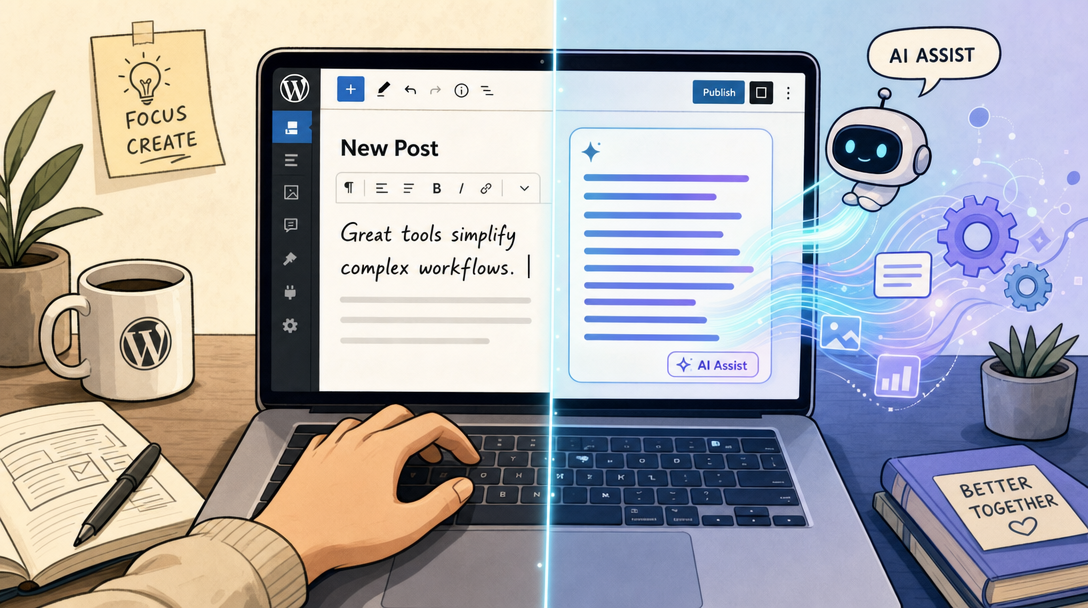
When you install an AI assistant, it becomes a native part of your writing environment. If you use the standard Gutenberg editor, the AI assistant usually manifests as a block type or an inline contextual menu. As you highlight a sentence or insert a new block, you can prompt the AI to expand your thoughts, simplify complex vocabulary, translate text, or adjust your tone.
This native positioning minimizes context switching. You no longer have to leave your tab to verify grammar, rewrite a clumsy sentence, or generate a structured list. Everything happens natively, allowing you to maintain your creative momentum. For creators looking to optimize their overall publishing workflow, leveraging platforms like wp-publisher.com can make content distribution seamless.
Interactive "As-You-Write" Assistance vs. Bulk Generation
It is important to understand the structural difference between an interactive AI assistant and a bulk article generator:
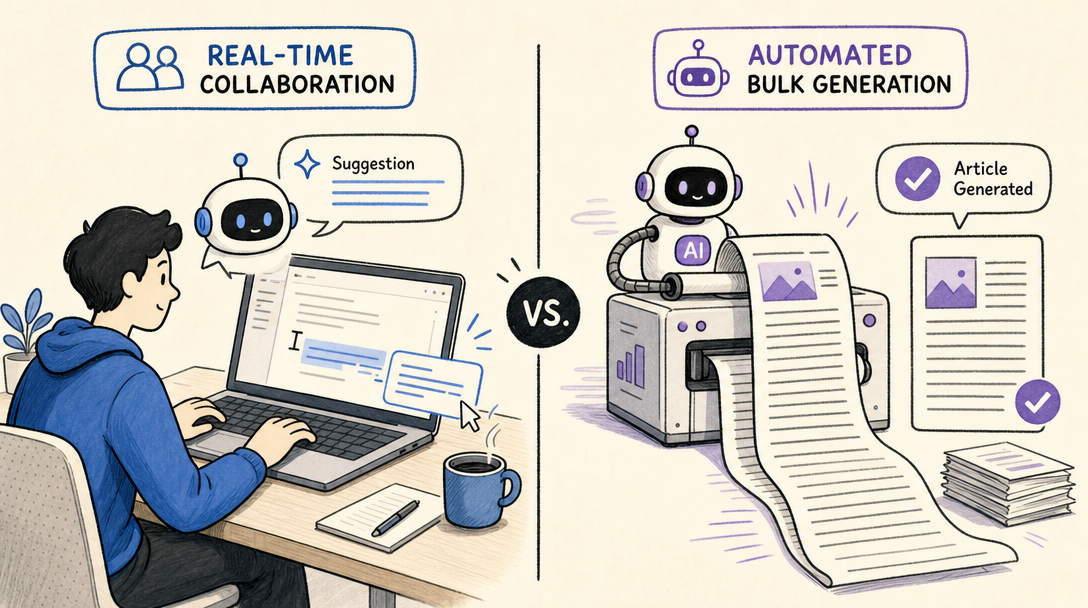
- Bulk Generators: These tools typically require a single prompt or keyword and spit out a fully formed, multi-paragraph article. While fast, the output often lacks a cohesive human voice, requires heavy editing, and risks feeling detached or repetitive.
- Interactive Writing Assistants: These plugins act as digital co-writers. They listen to your inputs block-by-block. If you are struggling with a transition paragraph, the assistant can suggest the next logical sentence. If a paragraph is too dense, it can rewrite it for better readability. They are designed to support and elevate your unique perspective rather than replace it entirely.
Top WordPress AI Writing Assistant Plugins Compared
The ecosystem of AI plugins is expanding rapidly, with different developers taking unique approaches to integration, cost control, and model support. Understanding the strengths of the leading options can help you select the tool that best fits your creative process.
Jetpack AI Assistant
Jetpack is one of the most widely used plugin suites in the WordPress ecosystem, and its native AI Assistant brings powerful text and formatting capabilities directly into the Gutenberg block editor.
Because Jetpack is deeply integrated with the core block system, its assistant is exceptionally good at structural tasks. It does not just write paragraphs; it can build structured data tables, create custom forms, and generate relevant post images on the fly. This makes it a highly visual assistant that helps you build rich media posts without needing external graphic design or data formatting tools.
WP Wand
For creators who want ultimate control over the underlying artificial intelligence models powering their site, WP Wand offers a highly flexible approach. Instead of tying you to a single proprietary system, WP Wand allows users to connect their own API keys from top-tier AI providers.
This plugin supports connections to OpenAI, Anthropic (Claude), OpenRouter, and DeepSeek. By inputting your personal developer key, you bypass the marked-up subscriptions of typical SaaS tools and pay the raw processing costs directly to the AI providers. It also features robust translation options and prompt frameworks designed to guide your writing seamlessly from draft to polished piece.
Key Features and Models At a Glance
To make the differences clearer, let us compare how these leading approaches stack up in terms of integration, model flexibility, and overall strengths:
| Plugin Name | Primary Editor Integration | Supported AI Models | Key Strengths | Pricing Structure |
|---|---|---|---|---|
| Jetpack AI Assistant | Native Gutenberg Blocks | Proprietary & Partner Models | Seamless block formatting (tables, forms, images) | Free tier / Paid plans from $4.95/month |
| WP Wand | WordPress block editor | OpenAI, Claude, OpenRouter, DeepSeek | Multi-model API flexibility, extreme cost control | Freemium (Use your own API keys) |
| Generic API Connectors | Gutenberg & Classic Editor | OpenAI / Custom endpoints | Direct LLM communication, zero subscription fees | Pay-per-use via developer accounts |
API-Based Plugins vs. SaaS Subscriptions: A Cost Analysis
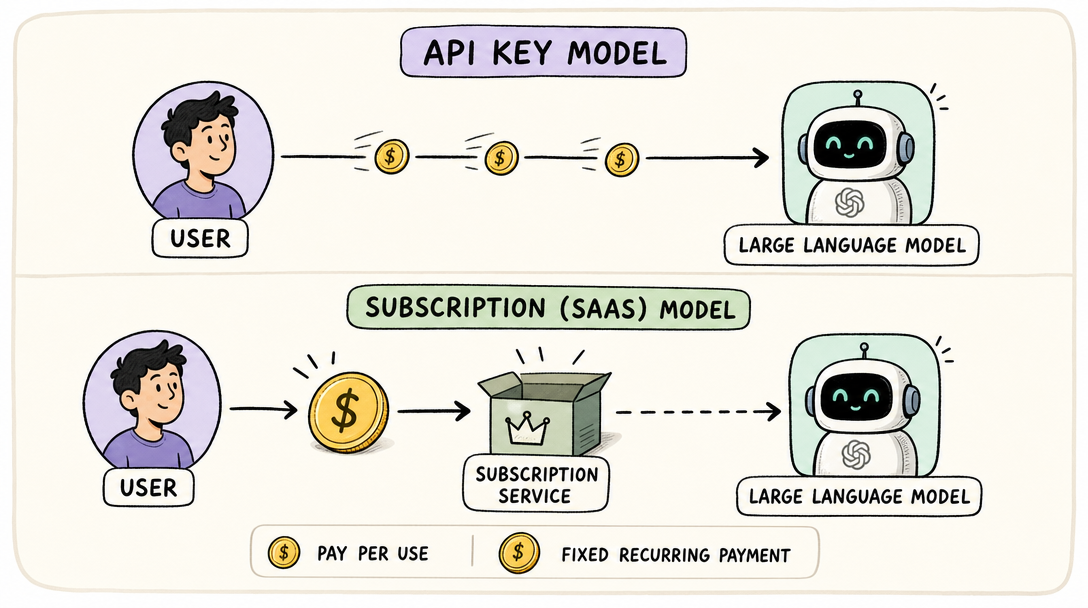
One of the most important decisions you will make when choosing a WordPress AI writing assistant plugin is how you pay for the underlying artificial intelligence. The market is split into two primary business models: traditional SaaS subscriptions and direct API integrations.
The SaaS Subscription Model
Under a subscription model, you pay a flat monthly or annual fee directly to the plugin developer or an external service. For example, Jetpack AI Assistant offers a promotional tier starting at $4.95 per month, which eventually transitions to standard renewal pricing.
The primary benefit of this model is simplicity. You do not have to set up developer accounts, manage billing keys, or worry about fluctuating costs based on your monthly word count. You pay a predictable fee and get a set amount of usage, making it ideal for casual bloggers or small business owners who value convenience above all else.
The Direct API Key Model
For high-volume publishers, agencies, and web developers, the direct API key model is highly efficient. Plugins like WP Wand let you generate your own API credentials directly from providers like OpenAI or Anthropic and paste them into your plugin settings.
When you write using your own API key, you bypass the middleman. Instead of paying a flat $50 per month to an external writing platform, you pay fractions of a cent per word directly to the AI provider. Under this pay-as-you-go structure, drafting a comprehensive, well-structured article often costs just a few cents in raw API usage. If you are unsure about how AI credits or API keys translate to your dashboard, reviewing a comprehensive frequently asked questions page can clarify how these integrations operate.
How to Use an AI Assistant to Improve Post Readability and Formatting
Creating content that ranks well and keeps visitors on your page requires more than just correct spelling. Your posts must be highly readable, logically structured, and engaging. A quality AI assistant serves as a direct editorial coach to help you reach these benchmarks.
Improving Sentence Structure and Readability
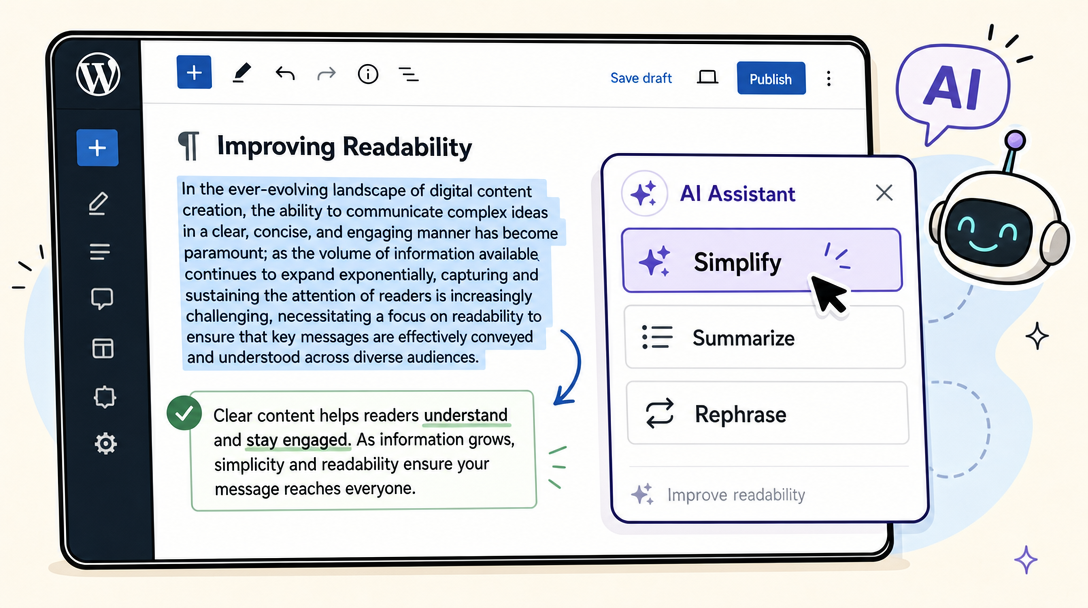
Long, run-on sentences and dense academic jargon can cause readers to click away from your site. An inline AI assistant can instantly scan your text to identify readability bottlenecks.
By highlighting a complex passage, you can instruct the assistant to "simplify" or "summarize." The AI will break up long sentences, substitute passive voice with active verbs, and suggest bullet points to make the information highly digestible. This immediate feedback loop helps you maintain a high readability score throughout your writing process.
Generating Structural and Media Elements
Great blog posts are not just walls of text; they use visual cues to guide the reader's eye. Advanced assistants can handle these layout challenges natively:
- Structured Tables: If you are listing product specifications, pricing tiers, or comparison metrics, you can ask the assistant to format that data into a clean, responsive table.
- Pre-filled Forms: For lead generation or reader feedback, some advanced tools can generate functional form blocks tailored to the context of your post.
- Post Images: Visual search is crucial. Integrated AI image generators can construct relevant visual elements that match the tone and topic of your written content, keeping users on your page longer.
Best Practices for Writing Safely with AI in WordPress
As helpful as AI writing assistants are, relying too heavily on automated generation carries distinct risks. To ensure your website maintains its search engine visibility and builds long-term trust with your audience, you must follow a balanced, responsible approach to AI integration.
Keep a "Human-in-the-Loop"
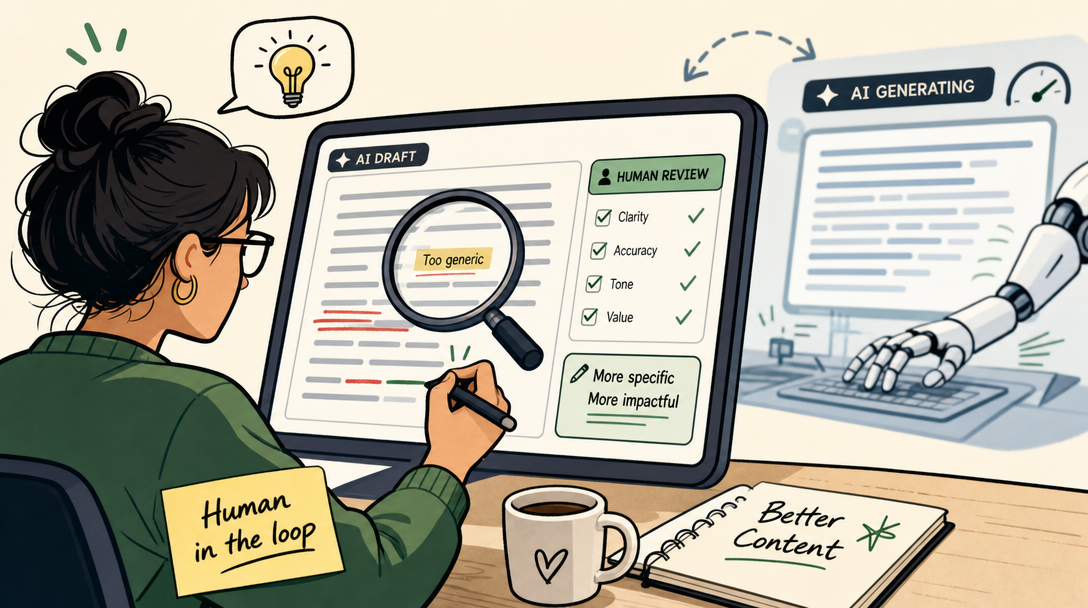
The single most important rule of working with artificial intelligence is to never publish raw, unedited AI content. Your audience visits your site for your unique insights, personal experiences, and distinct perspective.
Use your WordPress AI writing assistant plugin to handle the heavy lifting of drafting, researching, structuring, and brainstorming. Once the initial draft is complete, step in as the primary editor. Inject your personal anecdotes, verify the tone, and ensure that the finished piece reads like it was written by a real human expert. Many developers prefer managing their publishing schedules on a dedicated publishing application to ensure cross-platform consistency.
Rigorous Fact-Checking
Large language models do not "know" facts; they predict the next most logical word based on patterns in their training data. This means they are prone to "hallucinations"—confidently stating incorrect dates, historical facts, scientific statistics, or technical instructions.
Before hitting publish, verify every statistic, claim, and source link generated by your AI tool. A single unverified claim can damage your brand's authority and alienate your readership.
Respecting Data Privacy and Security
When you use an AI plugin, your draft content is sent to third-party servers (like OpenAI or Anthropic) for processing. If you are drafting highly sensitive business reports, proprietary product announcements, or personal client details, review the data usage policies of both your plugin and your API provider. Ensure that your inputs are not being utilized to train public machine learning models without your explicit consent.
Elevating Your Content Strategy
Integrating a WordPress AI writing assistant plugin into your website is one of the most effective ways to scale your content output without sacrificing quality. Whether you choose a native, all-in-one system like Jetpack AI to format beautiful blocks, or opt for an open-ended API tool like WP Wand to keep your operational costs low, these assistants act as valuable partners in the creative process.
By combining the structural efficiency of artificial intelligence with your personal expertise, research, and unique editorial voice, you can produce highly readable, deeply engaging content that resonates with readers and stands out across the web.